
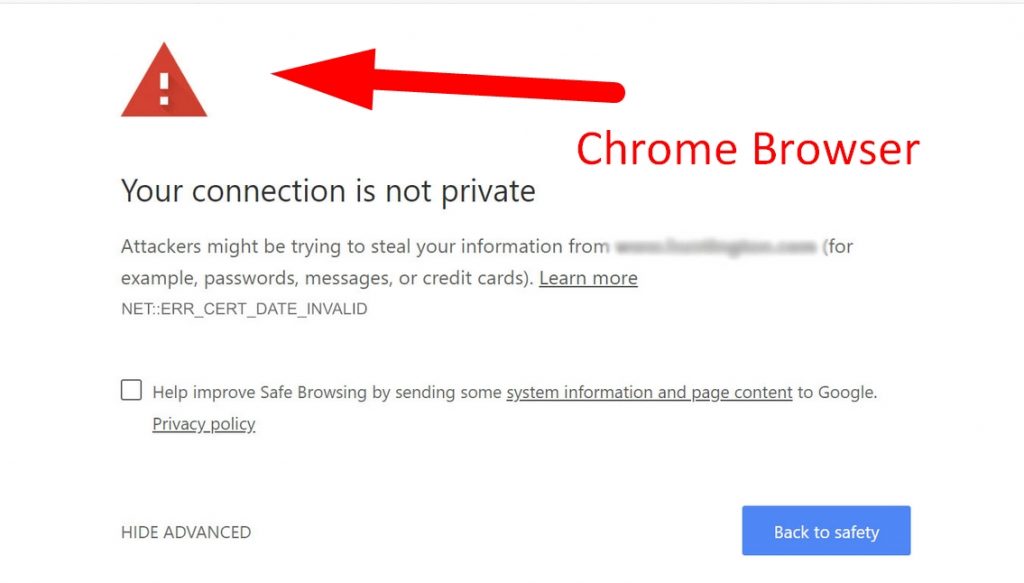
Are you facing this issue with your website ? This clearly signifies that SSL is not installed in your website. For that you can use Let’s Encrypt plugin to install SSL given in your cPanel interface.
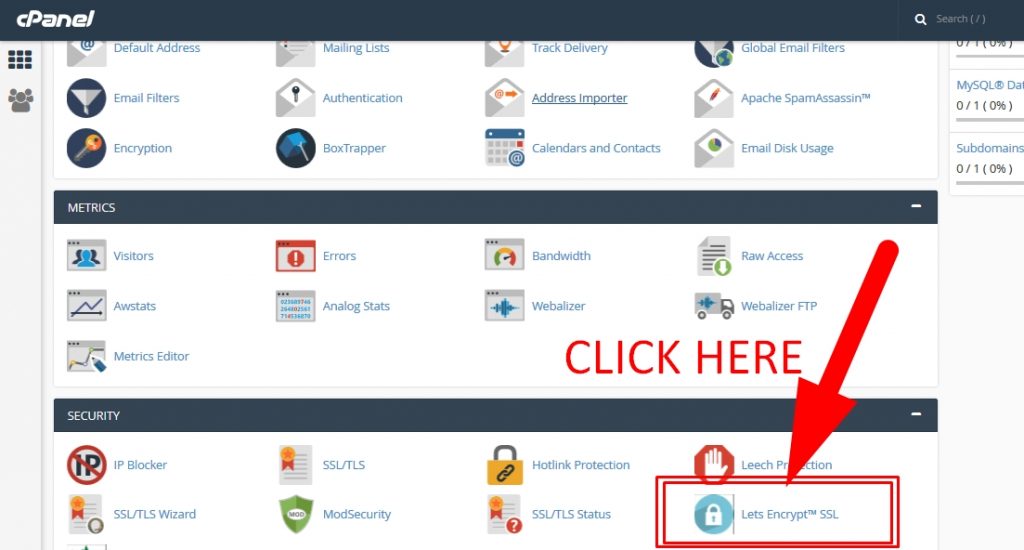
Step 1 : Login to your cPanel and then go to Let’s Encrypt Plugin given under security section. For your reference see screenshot below.
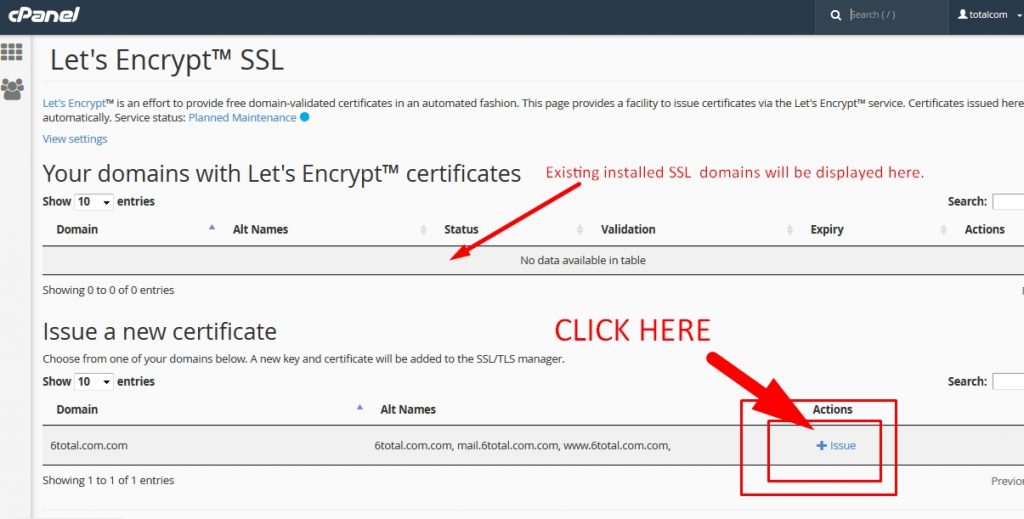
Step 2 : Now click on +Issue
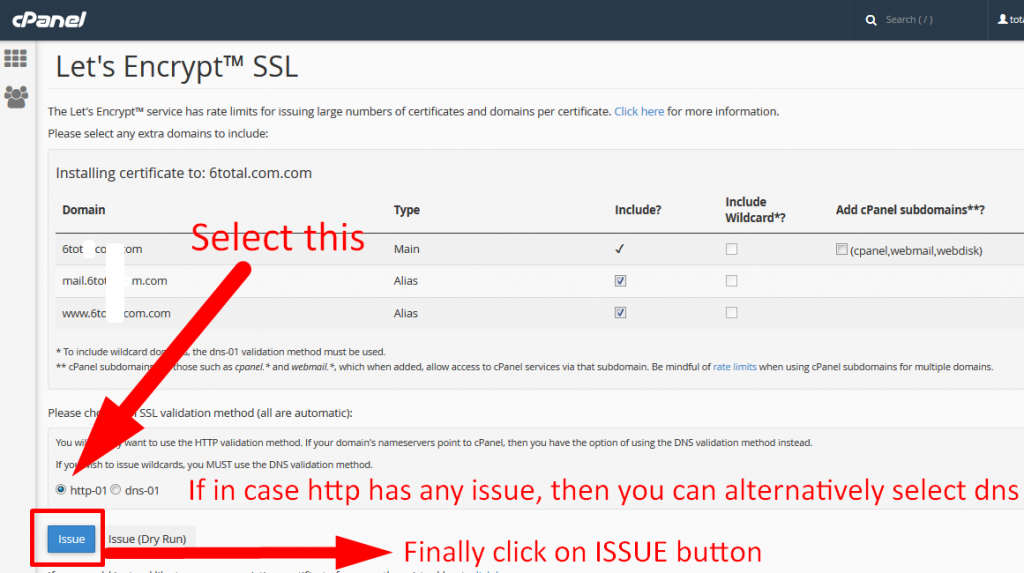
Step 3 : Now Finally simply select http-01 method at the bottom of the screen and then click on Issue. If in case http method is not working or giving any error, then you can try dns-01 method.
Step 4 : Check your domain in new private window. You should be able to see green padlock.
